Delay Controls Assessment
Match Descriptions
Now match each description to the correct control. Drop descriptions onto the named zones: the Submit button will appear once you start placing.
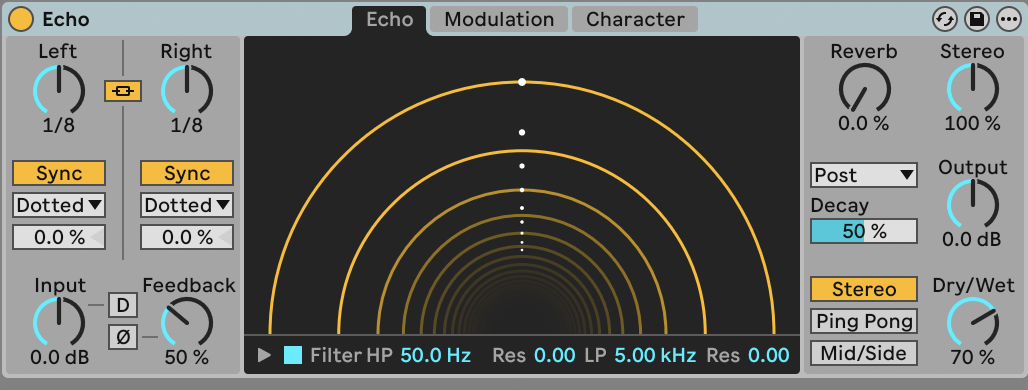
Descriptions: drag to zones above
How long the gap is between the original sound and the delayed repeat.
Locks the delay time to the project tempo using musical note values.
Controls how many times the echo repeats by feeding the output back into the input.
Shapes the tone of the delayed signal, making each repeat progressively brighter or darker.
Alternates the echoes between the left and right speakers, creating a bouncing stereo effect.
The balance between the original unprocessed signal and the delayed echoes.