← Back to Resources
1.12 Reverb

Reverb Controls Explorer

Drag a cable from the floating box to a coloured zone below the image to learn what that control does.
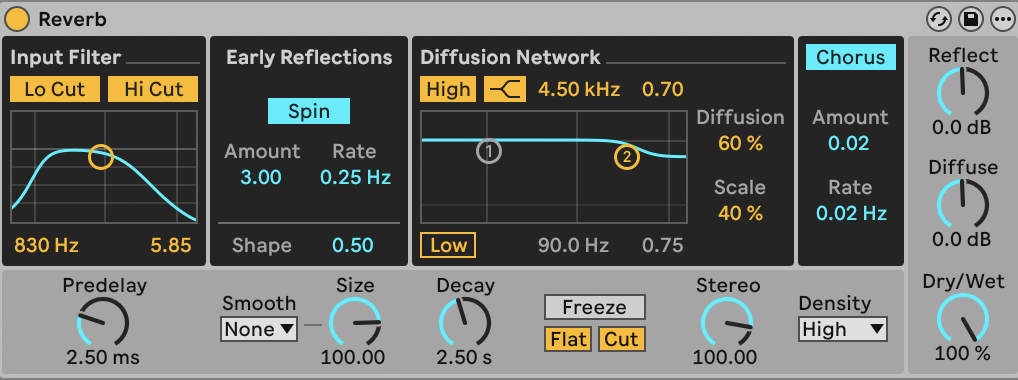
Ableton Live Reverb effect interface showing input processing, early reflections, decay, diffusion, damping and output controls
AInput Processing
BEarly Reflections
CPre-Delay
DDecay Time
EDiffusion
FDamping
GDry/Wet
Advanced
Foundation
Advanced
Foundation

What you learned

  • Identify each control on the Reverb interface by name and location
  • Explain the function of pre-delay, decay, diffusion, damping and dry/wet
  • Describe how reverb parameters simulate different acoustic spaces
← Back to Resources